One of the reasons I haven't posted much lately is because I've been distracted by a new
toy piece of serious technology which I need for work. I've always been a pc user and I'm not going to get into a pc/mac debate - there are things I like about both. Actually I don't really think of the iPad as a computer - I'm not entirely sure what it is. It's silent, keeps cool, doesn't need to boot up and the battery lasts all day. The interface is great and very intuitive - and then there's the apps...
I've had a lot of fun exploring all the strange games and widgets but for me the single most interesting thing was the ability to have photoshop-like software with me anywhere. I quickly downloaded a few of the most popular ones and although I've only been doodling so far I thought I'd share my experiences. First up...
Brushes. $7.99
Like:Not too laggy. Good selection of tweakable brushes without being too cluttered. Ability to play back sequence of strokes is brilliant. Layers.
Don't like: Can't make a dot (tapping screen brings up menu), Can't make quicktimes from playback on a PC (as far as I'm aware)
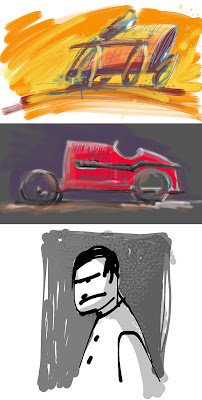
Sketchbook Pro. $7.99
Like: Least laggy of the ones i've tried so far. loads of features and brushes, layers, symmetry, clever shortcuts, speed sensitive stroke/opacity- even found some storyboard templates yesterday.
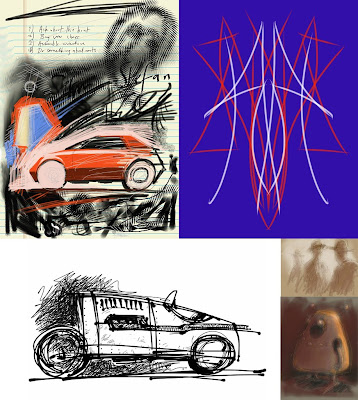
Livesketch. $1.99
This is like a cut down version of the
Harmony procedural drawing program.
Like:It's reasonably fast, very pleasing and unexpected results.
Don't like: It's a pity it doesn't have a few more of the Harmony brushes.
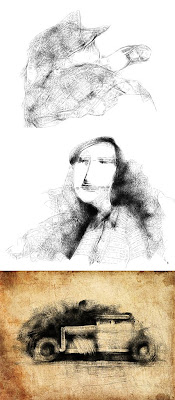
Inspire Pro. £2.39
Haven't tried too much with this yet. It's supposed to simulate oils (not something I've done much of).
Like: reasonably fast, uncluttered, nice blending.
Don't like: Cant draw dots easily (you can do it by putting your finger down and twisting it), splash screen :)
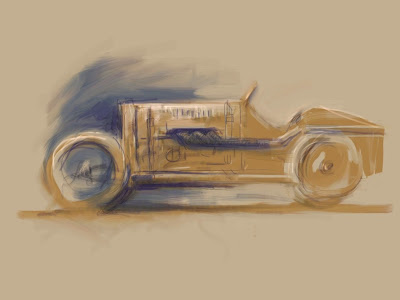
Adobe Ideas. $Free.
Funny one this - I think it's vector based. You can zoom in to huge amounts and draw really detailed little drawings the size of ants. The brush strokes get smoothed too. To export the vector images you export to email - otherwise they get converted to jpegs.
Like: Fast, smoothing, large document size, palette creating tool
Don't like:Limited tools (a pen and an eraser). Have to pay for extra layers (but it is free so I can't really complain).
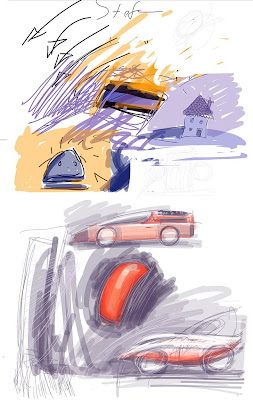
Artist's Touch. $4.99
Like: reasonably quick, nice splodgy paint daubs for gestural sketches.
Don't like: Colour palette interface (big long list), can't draw dots (brings up menu again)
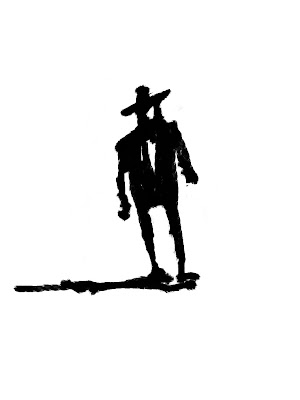
Art Rage. $6.99
I'm a big fan of this on my PC - it's cheap, has excellent tools and a very intuitive interface.
Like:Tools, layers, everything really
Don't like: Unfortunately it's probably the most laggy - but I am starting to get used to working a little slower
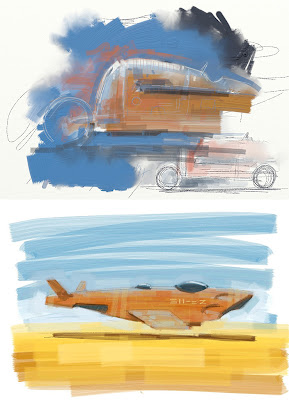
That's it for now. It's not very in-depth and there may be some things which I'm wrong about because I haven't found everything out yet but it'll give you an overview of what's available. One other thing that's worth mentioning is that none of these have the ability to tweak contrast etc. so I found a useful free app called PhotoPad which will do that and more. So far I've really enjoyed drawing on the iPad - even though it's not pressure sensitive. I'll post some more pictures done with it soon.
Oh, and the boxwave stylus seems to work quite nicely too. A bit short but glides nicely over the screen.


 I later added a bit of colour in photoshop. With a bit of tidying up I'd be able to hide the outlines altogether. If I get time I'll give it a go...


 I then added a new layer with it's blending mode set to 'color'. This allowed me to tint the value painting underneath...
 I then added a new layer - without any blending mode - and painted a few more details in - picking colours from the painting with the eyedropper...
 I then took it into photoshop to tweak the levels. Art Rage does have a basic brightness and contrast slider but it's more controllable in PS. I was surprised how lacking in contrast my original painting was. Perhaps I should have painted a scale first...
 Back in Art Rage I added a few more details - adding the green grass really helped the paiting I think...
 Finally I added my favourite rusty metal texture to the topmost layer - blend mode 'Hard Light' and opacity 24%. It adds a bit more texture and varies the colours a bit...
 Yesterday I thought the above image was finished but looking at it again today perhaps the colour and contrast could be pushed further - or is it too far?...


 ... and some comedy pit robots...
 ... and finally a few more finished desgns done in photoshop (though I did 'borrow' the hubless wheels from the internet somewhere) The first, my favourite is a slightly retro, Bugatti inspired one...


