Showing posts with label art rage. Show all posts
Showing posts with label art rage. Show all posts
Wednesday, March 28, 2012
Audi R18
Playing around on the iPad. It's important to say this isn't all my own work as I started with a photo (or perhaps it was a render) from the press release announcing the car. I then redrew it with Inkpad, worked into it with Artrage palette knives and finally added grunge in Photogene


Thursday, March 17, 2011
Life Drawing
Recently we started some lunchtime life drawing session at work. These were done with the zen brush app on iPad (using a 1 pixel brush). I like the way the pen bleeds when i stop moving the stylus - it has a bit of a felt marker feel. First ones are 90 seconds and the last one is 10 minutes - and I added some colour with art rage later...


Tuesday, November 30, 2010
More ipad fun
Still experimenting with the ipad paint apps. Here's a quick sketch of Cathy watching tv - done with the adobe ideas app...

And looking out of the window, a couple of cloud studies done in Art Rage...


I have a couple of new apps to add to the reviews too. First...
Quill. $0.99
Similar to adobe ideas in that it's vector based. Has the addition of an italic nib and filled shapes too. Worth a look for the price.
Like: Cheap, italic nib has more character than plain round, shapes
Don'tlike: They seem to get flipped when emailing the images as pdf's - perhaps I' not doing it right, crashed on me yeterday and I lost some doodles.

TypeDrawing. $2.99
Not sure how often I'll use this but it's still a lot of fun. You type something in, choose a font and then draw with the text...


And looking out of the window, a couple of cloud studies done in Art Rage...


I have a couple of new apps to add to the reviews too. First...
Quill. $0.99
Similar to adobe ideas in that it's vector based. Has the addition of an italic nib and filled shapes too. Worth a look for the price.
Like: Cheap, italic nib has more character than plain round, shapes
Don'tlike: They seem to get flipped when emailing the images as pdf's - perhaps I' not doing it right, crashed on me yeterday and I lost some doodles.

TypeDrawing. $2.99
Not sure how often I'll use this but it's still a lot of fun. You type something in, choose a font and then draw with the text...


Tuesday, November 23, 2010
iPad paint software review
One of the reasons I haven't posted much lately is because I've been distracted by a new toy piece of serious technology which I need for work. I've always been a pc user and I'm not going to get into a pc/mac debate - there are things I like about both. Actually I don't really think of the iPad as a computer - I'm not entirely sure what it is. It's silent, keeps cool, doesn't need to boot up and the battery lasts all day. The interface is great and very intuitive - and then there's the apps...
I've had a lot of fun exploring all the strange games and widgets but for me the single most interesting thing was the ability to have photoshop-like software with me anywhere. I quickly downloaded a few of the most popular ones and although I've only been doodling so far I thought I'd share my experiences. First up...
Brushes. $7.99
Like:Not too laggy. Good selection of tweakable brushes without being too cluttered. Ability to play back sequence of strokes is brilliant. Layers.
Don't like: Can't make a dot (tapping screen brings up menu), Can't make quicktimes from playback on a PC (as far as I'm aware)
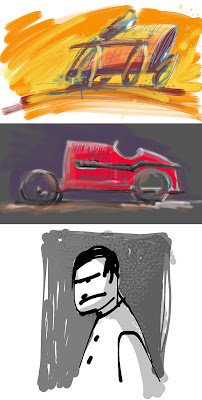
Sketchbook Pro. $7.99
Like: Least laggy of the ones i've tried so far. loads of features and brushes, layers, symmetry, clever shortcuts, speed sensitive stroke/opacity- even found some storyboard templates yesterday.
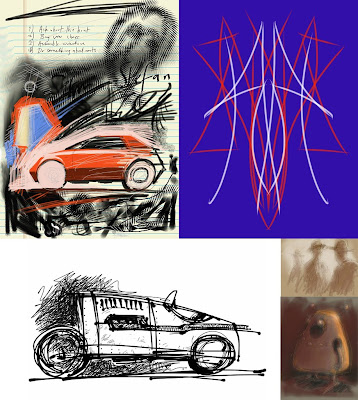
Livesketch. $1.99
This is like a cut down version of the Harmony procedural drawing program.
Like:It's reasonably fast, very pleasing and unexpected results.
Don't like: It's a pity it doesn't have a few more of the Harmony brushes.
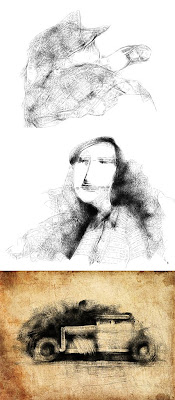
Inspire Pro. £2.39
Haven't tried too much with this yet. It's supposed to simulate oils (not something I've done much of).
Like: reasonably fast, uncluttered, nice blending.
Don't like: Cant draw dots easily (you can do it by putting your finger down and twisting it), splash screen :)
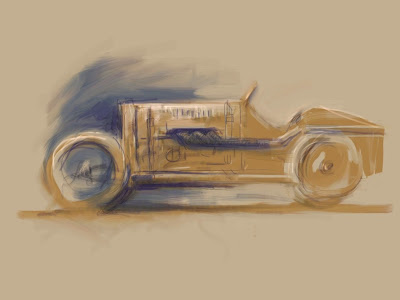
Adobe Ideas. $Free.
Funny one this - I think it's vector based. You can zoom in to huge amounts and draw really detailed little drawings the size of ants. The brush strokes get smoothed too. To export the vector images you export to email - otherwise they get converted to jpegs.
Like: Fast, smoothing, large document size, palette creating tool
Don't like:Limited tools (a pen and an eraser). Have to pay for extra layers (but it is free so I can't really complain).
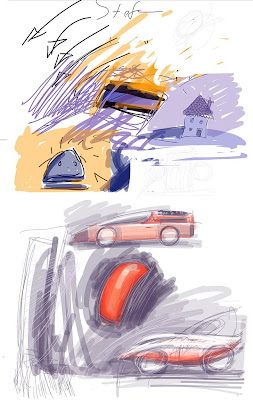
Artist's Touch. $4.99
Like: reasonably quick, nice splodgy paint daubs for gestural sketches.
Don't like: Colour palette interface (big long list), can't draw dots (brings up menu again)
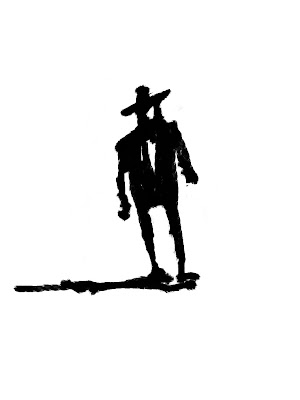
Art Rage. $6.99
I'm a big fan of this on my PC - it's cheap, has excellent tools and a very intuitive interface.
Like:Tools, layers, everything really
Don't like: Unfortunately it's probably the most laggy - but I am starting to get used to working a little slower
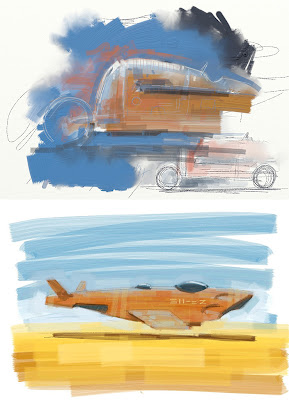
That's it for now. It's not very in-depth and there may be some things which I'm wrong about because I haven't found everything out yet but it'll give you an overview of what's available. One other thing that's worth mentioning is that none of these have the ability to tweak contrast etc. so I found a useful free app called PhotoPad which will do that and more. So far I've really enjoyed drawing on the iPad - even though it's not pressure sensitive. I'll post some more pictures done with it soon.
Oh, and the boxwave stylus seems to work quite nicely too. A bit short but glides nicely over the screen.
I've had a lot of fun exploring all the strange games and widgets but for me the single most interesting thing was the ability to have photoshop-like software with me anywhere. I quickly downloaded a few of the most popular ones and although I've only been doodling so far I thought I'd share my experiences. First up...
Brushes. $7.99
Like:Not too laggy. Good selection of tweakable brushes without being too cluttered. Ability to play back sequence of strokes is brilliant. Layers.
Don't like: Can't make a dot (tapping screen brings up menu), Can't make quicktimes from playback on a PC (as far as I'm aware)

Sketchbook Pro. $7.99
Like: Least laggy of the ones i've tried so far. loads of features and brushes, layers, symmetry, clever shortcuts, speed sensitive stroke/opacity- even found some storyboard templates yesterday.

Livesketch. $1.99
This is like a cut down version of the Harmony procedural drawing program.
Like:It's reasonably fast, very pleasing and unexpected results.
Don't like: It's a pity it doesn't have a few more of the Harmony brushes.

Inspire Pro. £2.39
Haven't tried too much with this yet. It's supposed to simulate oils (not something I've done much of).
Like: reasonably fast, uncluttered, nice blending.
Don't like: Cant draw dots easily (you can do it by putting your finger down and twisting it), splash screen :)

Adobe Ideas. $Free.
Funny one this - I think it's vector based. You can zoom in to huge amounts and draw really detailed little drawings the size of ants. The brush strokes get smoothed too. To export the vector images you export to email - otherwise they get converted to jpegs.
Like: Fast, smoothing, large document size, palette creating tool
Don't like:Limited tools (a pen and an eraser). Have to pay for extra layers (but it is free so I can't really complain).

Artist's Touch. $4.99
Like: reasonably quick, nice splodgy paint daubs for gestural sketches.
Don't like: Colour palette interface (big long list), can't draw dots (brings up menu again)

Art Rage. $6.99
I'm a big fan of this on my PC - it's cheap, has excellent tools and a very intuitive interface.
Like:Tools, layers, everything really
Don't like: Unfortunately it's probably the most laggy - but I am starting to get used to working a little slower

That's it for now. It's not very in-depth and there may be some things which I'm wrong about because I haven't found everything out yet but it'll give you an overview of what's available. One other thing that's worth mentioning is that none of these have the ability to tweak contrast etc. so I found a useful free app called PhotoPad which will do that and more. So far I've really enjoyed drawing on the iPad - even though it's not pressure sensitive. I'll post some more pictures done with it soon.
Oh, and the boxwave stylus seems to work quite nicely too. A bit short but glides nicely over the screen.
Friday, February 19, 2010
1924 Sunbeam - painted
Here it is, splashing across Pendine Sands. I could probably make more of a feature of the water - I'll save that for Babs...


Wednesday, February 10, 2010
Golden Arrow
Struggled a bit with this one - it's easier to paint the old rickety ones. This is Henry Segrave's 'Golden Arrow' from 1929...


Monday, February 08, 2010
FIAT S76
Quite pleased with this one. Perhaps one of the craziest cars of all time. 28 litre four cylinder engine. Built around 1912 in order to set speed records. Apparently it achieved 132mph - but didn't manage the return run so the result was disallowed. Only two of these were built, the history is very vague leading to all sorts of exaggerated and false stories. It was also called 'The Beast of Turin' and that was what I was trying to capture with the painting - a ferocious animal pouncing...


Saturday, February 06, 2010
Renault 40cv
Here's today's. Not entirely happy with it - I couldn't quite replicate the nice brush I had on my computer at work and ended up fiddling too much. Perhaps I'll try it again. This car is from 1926 and was used to set speed records at Monthlery. It's got great proportions, the front is very interesting too...


Friday, February 05, 2010
Fiat Mefistofele
A quick and loose sketch of one of my favourite cars. I'm going to start a series of these I think - perhaps I'll even manage one a day when I get up to speed...


Wednesday, January 27, 2010
Step by Step Painting
Still experimenting with 'painting'. This is in no way meant to be a tutorial - I'm still trying to work out what to do myself. So if anyone has any tips I'd love to hear them.
First I took one of my pen sketches from Norway and loosely painted over the top of it using three or four different shades. Sometimes I squinted my eyes to get a stronger contrast and see the modeling more clearly...
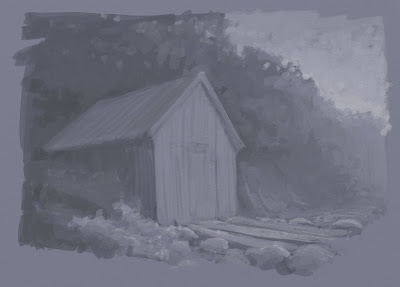 I then added a new layer with it's blending mode set to 'color'. This allowed me to tint the value painting underneath...
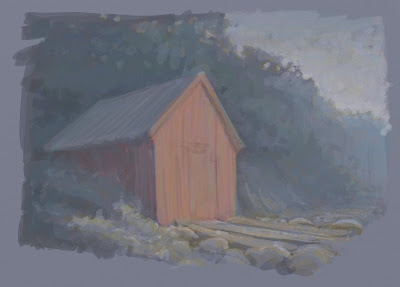 I then added a new layer - without any blending mode - and painted a few more details in - picking colours from the painting with the eyedropper...
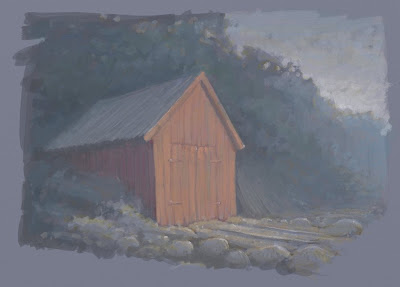 I then took it into photoshop to tweak the levels. Art Rage does have a basic brightness and contrast slider but it's more controllable in PS. I was surprised how lacking in contrast my original painting was. Perhaps I should have painted a scale first...
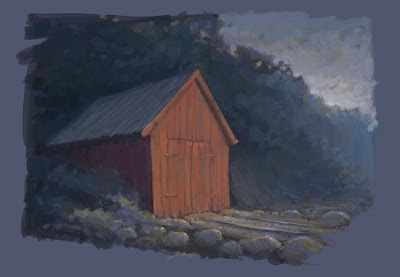 Back in Art Rage I added a few more details - adding the green grass really helped the paiting I think...
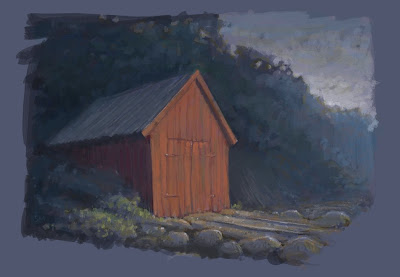 Finally I added my favourite rusty metal texture to the topmost layer - blend mode 'Hard Light' and opacity 24%. It adds a bit more texture and varies the colours a bit...
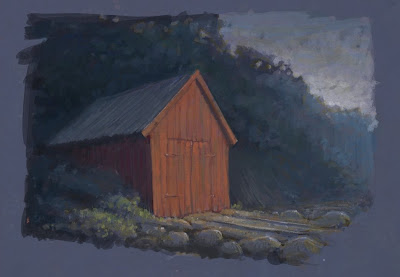 Yesterday I thought the above image was finished but looking at it again today perhaps the colour and contrast could be pushed further - or is it too far?...

First I took one of my pen sketches from Norway and loosely painted over the top of it using three or four different shades. Sometimes I squinted my eyes to get a stronger contrast and see the modeling more clearly...
 I then added a new layer with it's blending mode set to 'color'. This allowed me to tint the value painting underneath...
 I then added a new layer - without any blending mode - and painted a few more details in - picking colours from the painting with the eyedropper...
 I then took it into photoshop to tweak the levels. Art Rage does have a basic brightness and contrast slider but it's more controllable in PS. I was surprised how lacking in contrast my original painting was. Perhaps I should have painted a scale first...
 Back in Art Rage I added a few more details - adding the green grass really helped the paiting I think...
 Finally I added my favourite rusty metal texture to the topmost layer - blend mode 'Hard Light' and opacity 24%. It adds a bit more texture and varies the colours a bit...
 Yesterday I thought the above image was finished but looking at it again today perhaps the colour and contrast could be pushed further - or is it too far?...
Friday, January 22, 2010
Brasier repaint
As a quick experiment I very quickly and roughly painted over the Brasier using a palette from a photo I found. I think it looks a bit more 'real' when compared to the other one I did - which seems more of an illustration somehow...


Delage Painted

Thursday, January 21, 2010


Wednesday, January 20, 2010
Art Rage
I've been experimenting with the cheap and cheerful Art Rage software. It's a little like Painter and has some very nice, naturalistic painting and drawing tools. It's perhaps not quite as polished and comprehensive as Painter but in many ways it's much more intuitive. The layers are much easier to use and the palettes cleverly disappear when you draw near them. Here are a few quick doodles. The first are using default brushes and pencils and the last is using a brush I made myself - which is a bit more manageable as it doesn't lay down too much paint. I'm looking forward to trying ot out on a longer piece...


Subscribe to:
Posts (Atom)